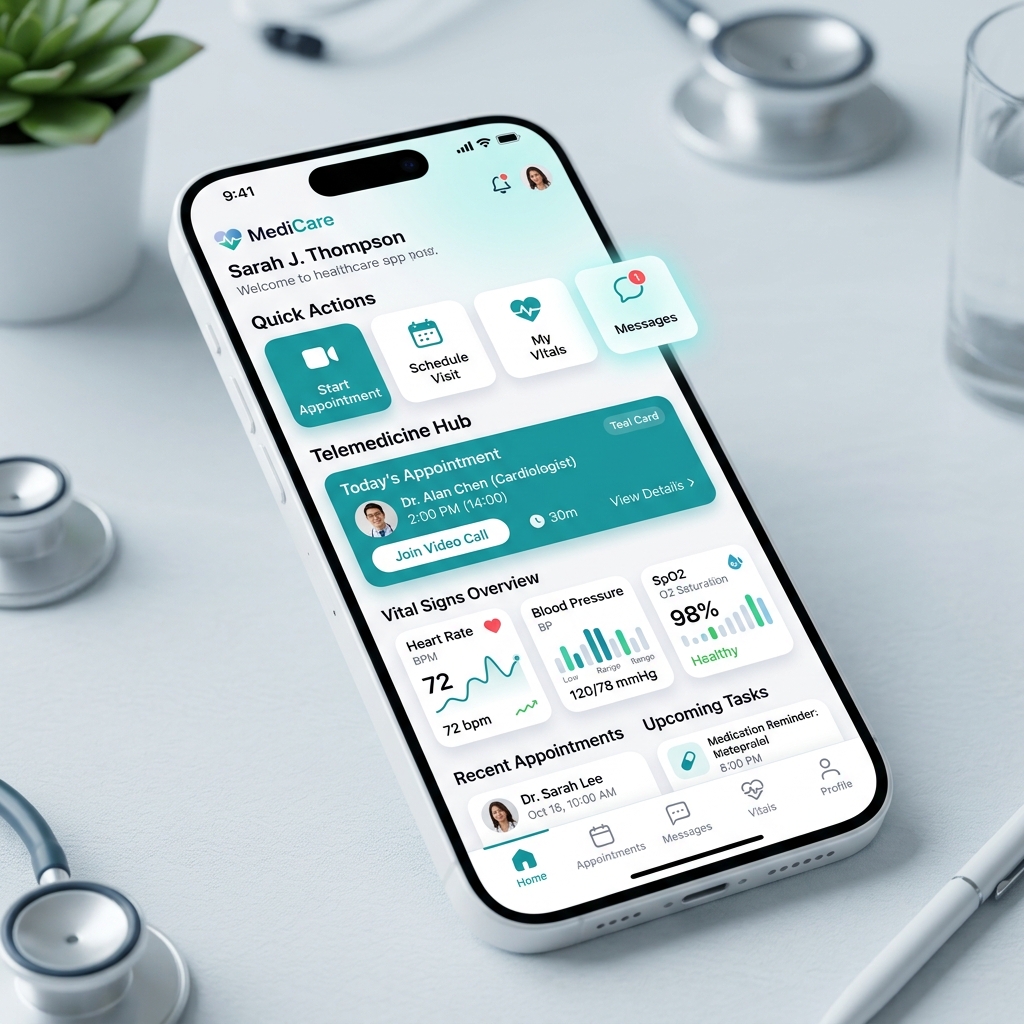
Designing a mobile application for healthcare is a unique challenge. Unlike entertainment or general utility apps, a healthcare app is often used by patients who are anxious, tired, physically impaired, or in urgent need of assistance. In these contexts, design decisions can directly affect patient compliance, comfort, and safety. Here are 6 crucial tips for UI/UX and product designers in the healthcare space.
1. Prioritize Clean visual Hierarchy and Accessibility
Healthcare apps must be highly readable. Avoid complex layouts or decorative elements that create visual noise. Use large, clear typography (at least 16px for body copy) and ensure colors satisfy the latest contrast standards (such as APCA or WCAG AAA). Designers must account for users with visual fatigue, color blindness, or age-related vision changes.
2. Design for Stress and Ergonomic Constraints
Consider the physical state of a patient when using your app. They might have shaky hands, be holding a baby, or have an IV attached to their wrist. Make sure interactive targets are large (minimum 48x48dp) and placed within comfortable thumb-reach zones at the bottom of the screen to minimize physical effort and errors.
3. Keep Microcopy Reassuring and Jargon-Free
Medical jargon can be intimidating and cause unnecessary anxiety. Simplify lab values, medical conditions, and clinical terminology into plain English. Empathy must drive every error message and notification; write with a tone that is calm, clear, supportive, and action-oriented.
4. Streamline Vital Workflows with Progressive Disclosure
Booking a virtual doctor visit or refilling a prescription should not feel like completing a tax return. Use progressive disclosure to reveal information only when needed, chunking long forms into simple, digestible steps. Reduce initial registration requirements so users can access help quickly.
5. Build Solid Trust with Secure and Transparent Design
Health data is highly confidential, and users are naturally protective of it. Build trust by communicating how data is handled clearly and transparently. Use explicit permissions dialogs, show security badges when submitting health metrics, and design seamless authentication flows (like face scan or fingerprint) that feel both highly secure and low-effort.
6. Implement Robust Error Prevention and Confirmation Systems
In medical apps, mistakes can have serious consequences. A patient scheduling the wrong appointment day or selecting the wrong dosage is a failure of UX error-prevention. Build double-checks for critical tasks, provide immediate visual feedback for validation, and use visual hierarchy to clearly differentiate between similar options.
In healthcare design, clarity and empathy are not just aesthetic preferences — they are safety-critical metrics.- SecretUXD
Conclusion
Designing for healthcare requires putting patient wellness and accessibility at the core of your design process. By keeping interfaces simple, copy warm and clear, and navigation intuitive, you create a product that heals rather than frustrates.